


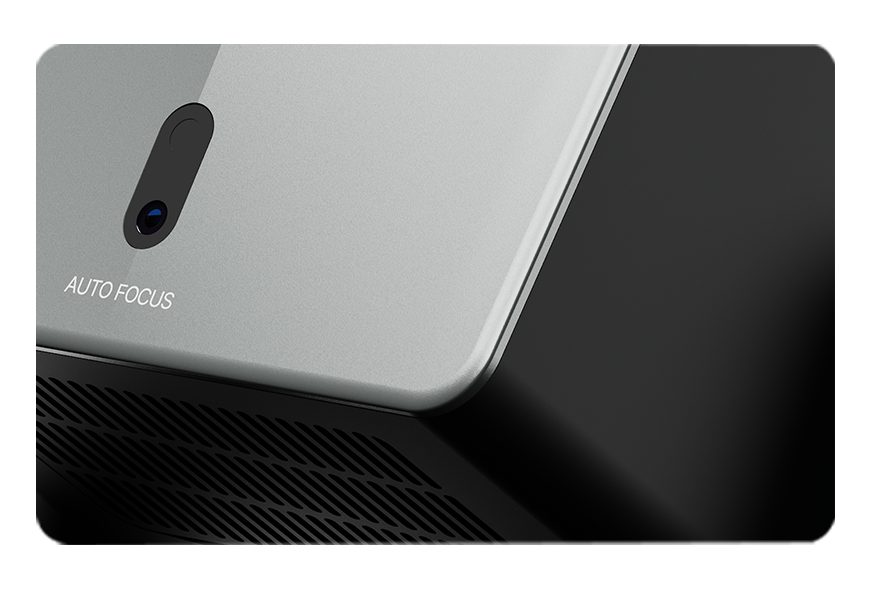
Auto Focus
Automatically adjusts focus to deliver sharp, crystal-clear visuals without manual adjustments.
Auto Focus
Crystal-clear
C
Skip to content


Services and benefits
 Fast, Free Shipping
 Hassle-Free Warranty
 Lowest Price Guarantee
 Lifetime Customer Support
Meet Lumex Aster, where everyday entertainment meets the magic of the big screen. Turn your living space into a personal cinema and make every movie night, match day, and binge session worth experiencing.
Designed to bring entertainment closer, Lumex Aster transforms ordinary viewing into something extraordinary. Whether you're watching your favourite movies, streaming shows, or enjoying game nights, experience entertainment on a bigger scale.
Your space. Your screen. Your cinema. Welcome to Lumex Aster.
Enjoy 1-year warranty coverage with reliable support for eligible manufacturing defects, including repair or replacement.


Netflix. Prime Video. YouTube. Chromecast.
Google Assistant.
One familiar entertainment experience.


Wall. Ceiling. Bedtime binge.
Weekend match. Tilt Aster
to where the moment is.

A true big-screen experience,
right at home.
Set up your screen effortlessly, wherever you are.
Automatically adjusts focus to deliver sharp, crystal-clear visuals without manual adjustments.
Enjoy a perfectly aligned projection instantly with intelligent auto keystone adjustment.
Automatically detects obstacles and adjusts the projection for an uninterrupted viewing experience.
Automatically detects screen boundaries and adjusts the projection to fit perfectly with in the screen.


Personal profiles for everyone.
Kids Mode for little viewers.
Find what you love, hands-free with voice search.

36W stereo gives movies, sports and
everyday streaming more presence
without complicating the setup.

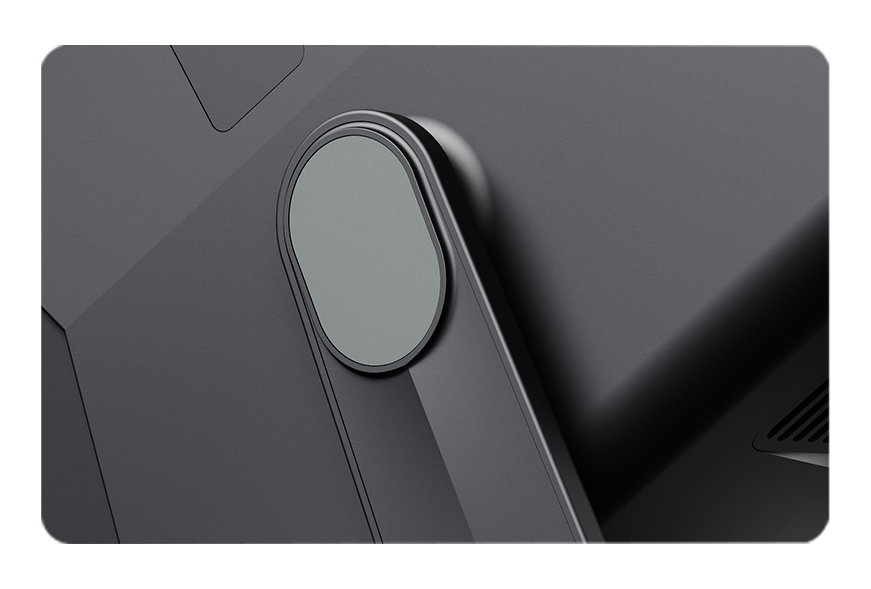
Graphite body. Sculpted stand. A bold lens architecture.
Aster is designed to look intentional in a premium living space

Graphite body. Sculpted stand. A bold lens architecture.
Aster is designed to look intentional in a premium living space


With 2.4GHz and 5GHz Wi-Fi, Lumex Aster delivers smooth,
lag-free screen mirroring, casting, and streaming.


Easily connect all your devices wired or wireless. Work, play, stream, and do more with Lumex Aster.

Take your favorite content anywhere
Display, Performance & Projection
Smart Features, Audio & Connectivity
Frequently Asked Questions
General
Q: What is the resolution of the Lumex Aster projector?
A: The Lumex Aster has a native Full HD resolution of 1920×1080P.
Q: What is the maximum projection size?
A: The Lumex Aster can project images up to 300 inches, creating a true cinematic experience.
Q: How bright is the Lumex Aster projector?
A: The Lumex Aster delivers 1800 ANSI lumens of brightness for clear and vibrant images.
Features
Q: Does the Lumex Aster projector support OTT apps?
A: Yes. The Lumex Aster runs on Google TV UI with access to thousands of apps from the Google Play Store, including popular OTT platforms.
Q: What is Auto 4D Keystone correction?
A: Auto 4D Keystone automatically adjusts the image to remain perfectly rectangular, even when the projector is placed at an angle—both horizontally and vertically.
Connectivity
Q: Can I wirelessly mirror my phone with Lumex Aster?
A: Yes. The Lumex Aster supports dual-band Wi-Fi and built-in Chromecast for wireless screen mirroring from Android, iOS, and laptops.
Q: Does the Lumex Aster come with focus correction?
A: Yes. It features Auto Focus correction.
Q: What ports are available on the Lumex Aster projector?
A: The Lumex Aster includes HDMI, USB, and 3.5mm AUX-out port.
Q: Can I connect external speakers to the Lumex Aster projector?
A: Yes. While the projector has a built-in 36W speaker system, you can connect external speakers via 3.5mm AUX-out, HDMI or Bluetooth.
Q: Can I connect my laptop or PC to the projector using an HDMI cable?
A: Yes. You can easily connect a laptop or PC using a standard HDMI cable.
Smart and AI features
Q- How can I use the Google AI Voice Assistant?
A- Press and hold the voice assistant button on the remote while asking a question, then release it to see the answer.
Q- can I Control the Projector using the Google Home App?
A- Yes, Connect the projector and Your phone to the same Wi-Fi network and open the Google home app and Bind projector with your phone to manage and control the projector using the Google Home App
Design & Durability
Q: How long does the Lumex Aster projector’s lamp last?
A: The lamp is rated for 50,000 hours, ensuring years of reliable use.
Q: Does the Lumex Aster projector come with a stand?
A: Yes. It features a built-in adjustable stand.
Usage & Installation
Q: How should I position the projector for optimal performance and longevity
A: Place the projector in a well-ventilated area. Ensure there is at least 1.5 feet of clearance around the projector to allow proper airflow and prevent overheating. Avoid blocking the air intake and exhaust vents.
Q: Can the Lumex Aster projector be ceiling-mounted?
A: Yes. The Lumex Aster supports tabletop, wall-mounted, and ceiling-mounted installation for flexible placement.
Q: Is the Lumex Aster projector suitable for gaming?
A: Yes. The Lumex Aster supports casual gaming through compatible games available on the Google Play Store. You can also connect gaming devices through the HDMI port. Wireless screen mirroring is another option for compatible devices.
Q: Does the Lumex Aster projector overheat during extended use?
A: The dual-fan cooling system helps regulate the projector's temperature during extended use. For optimal performance and longevity, ensure proper ventilation and keep the air vents unobstructed.
Q: How do I clean and maintain the projector?
A: Keep the air vents clear of dust and clean the lens using a suitable microfiber cloth. Ensure the projector is placed in a well-ventilated area. If you notice visible dust particles inside the projected image, use the supplied lens-cleaning sticks to clean the internal lens area through the designated dust-cleaning access point. Do not use water or cleaning solutions.
Overall rating: 4.8 / 5 from 9 reviews.

Too much Satisfied 👍

Very good cinematic video good job
Good performance 😄💯
It’s very good and I love auto screen adjustment
Wonderful experience.
Quickly adjust as per screen area, brighter picture color and speaker sounds great!
"Good projector, good picture quality👍
Good product
Nice Projector


